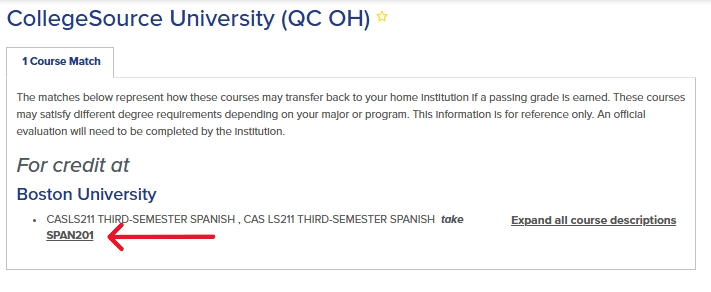
Transferology is a database allowing users to compare how courses from previous institutions may transfer into Boston University. Transferology contains up-to-date information about currently approved courses and is updated daily to include newly approved courses.
To begin, create a username and password to log in to Transferology. You will be prompted to select one of two options below. Select “Will my courses transfer” to review how your courses may transfer into Boston University.

Once the “Will My Courses Transfer” page is selected, your screen will display helpful information about navigating Transferology.
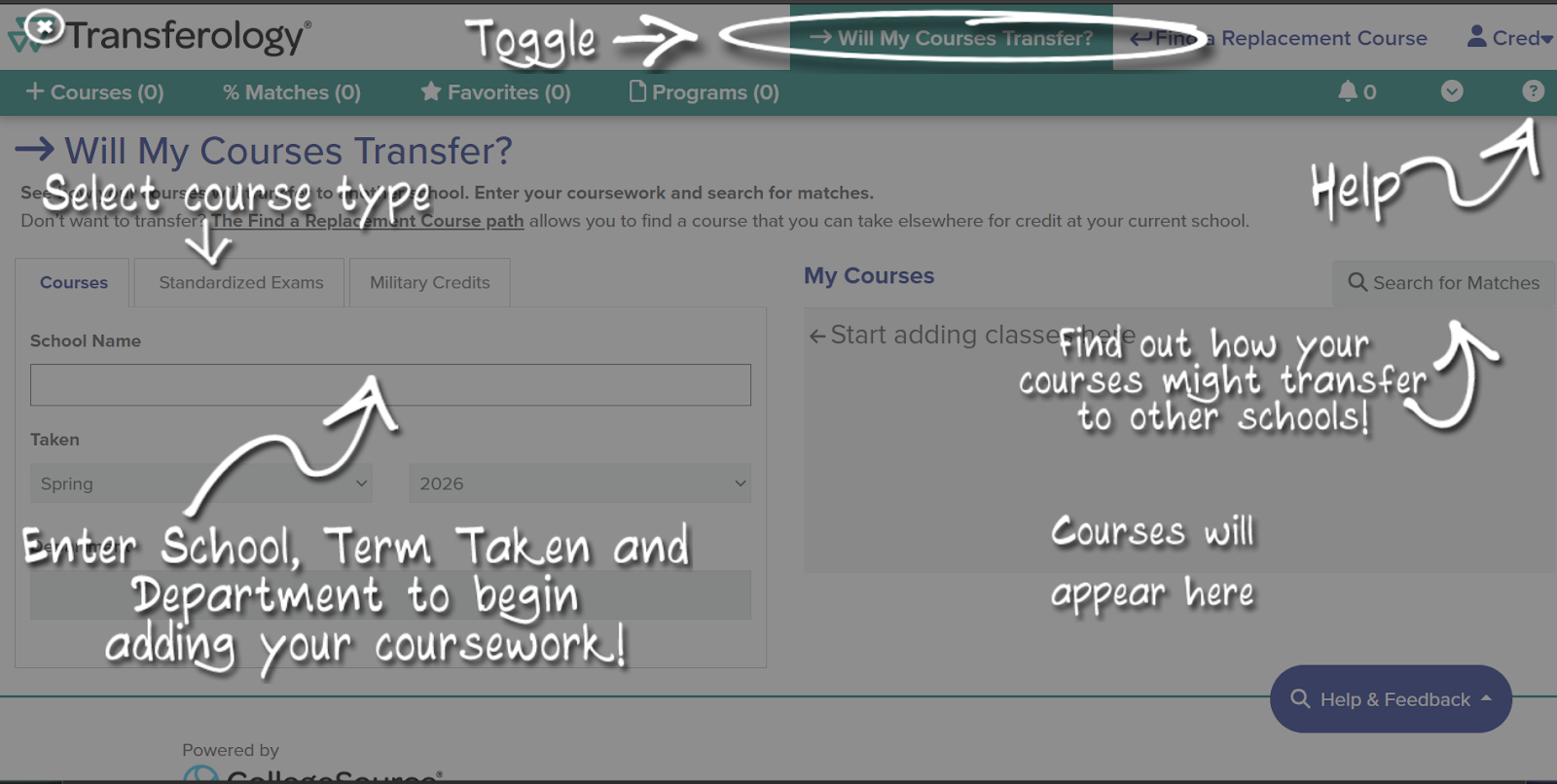
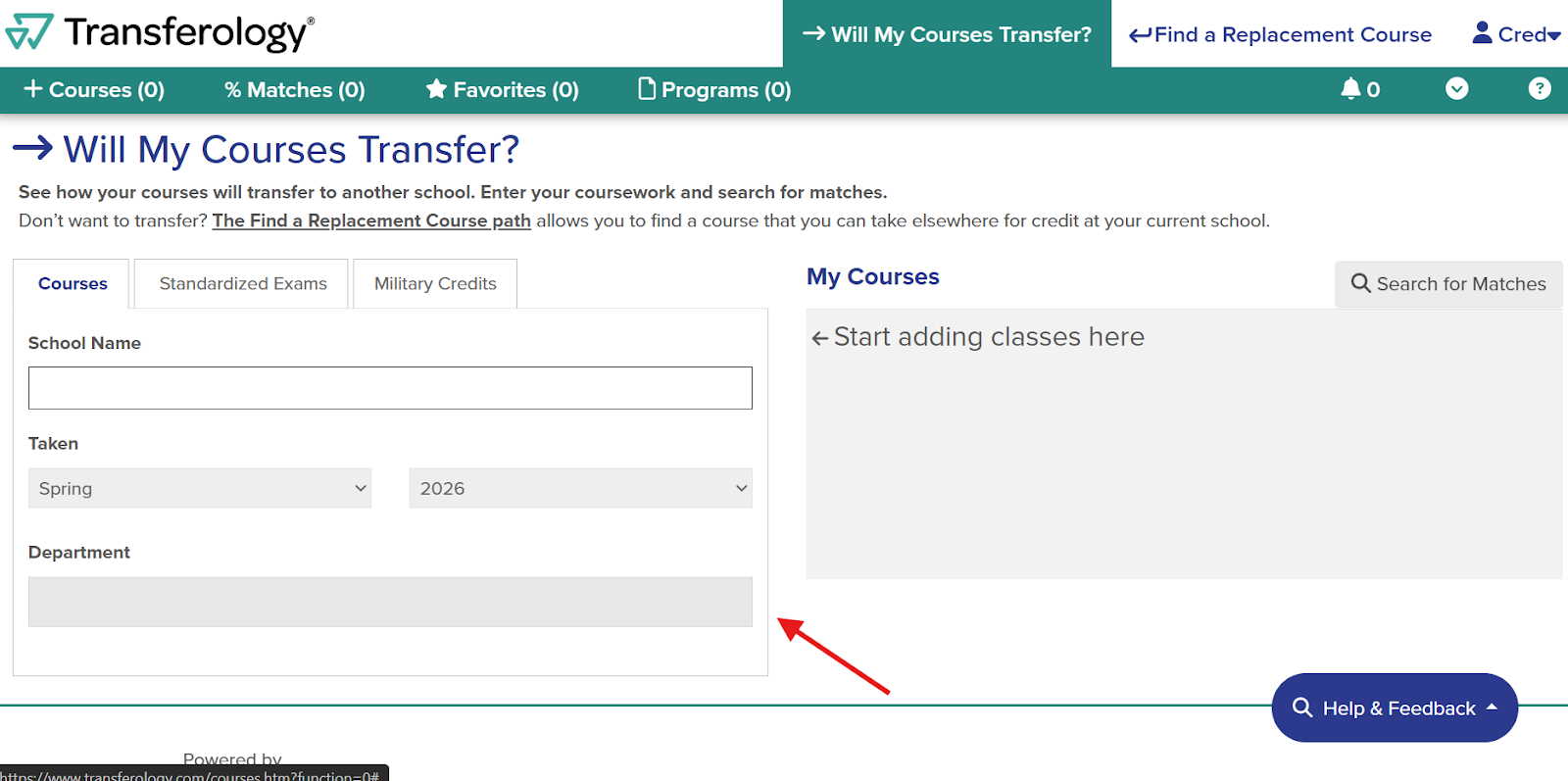
Select your current (non-BU) institution by using the search function. Then, select the term and year for the given courses. Finally, select the department for a specific course within the selected term.
Once the department is selected, all the course codes from the given school will populate. The department example used here is “Accounting.” Click the plus sign to add the course taken to your “My Courses” on the right side of the screen. You may add as many courses as you would like to this page before moving on.
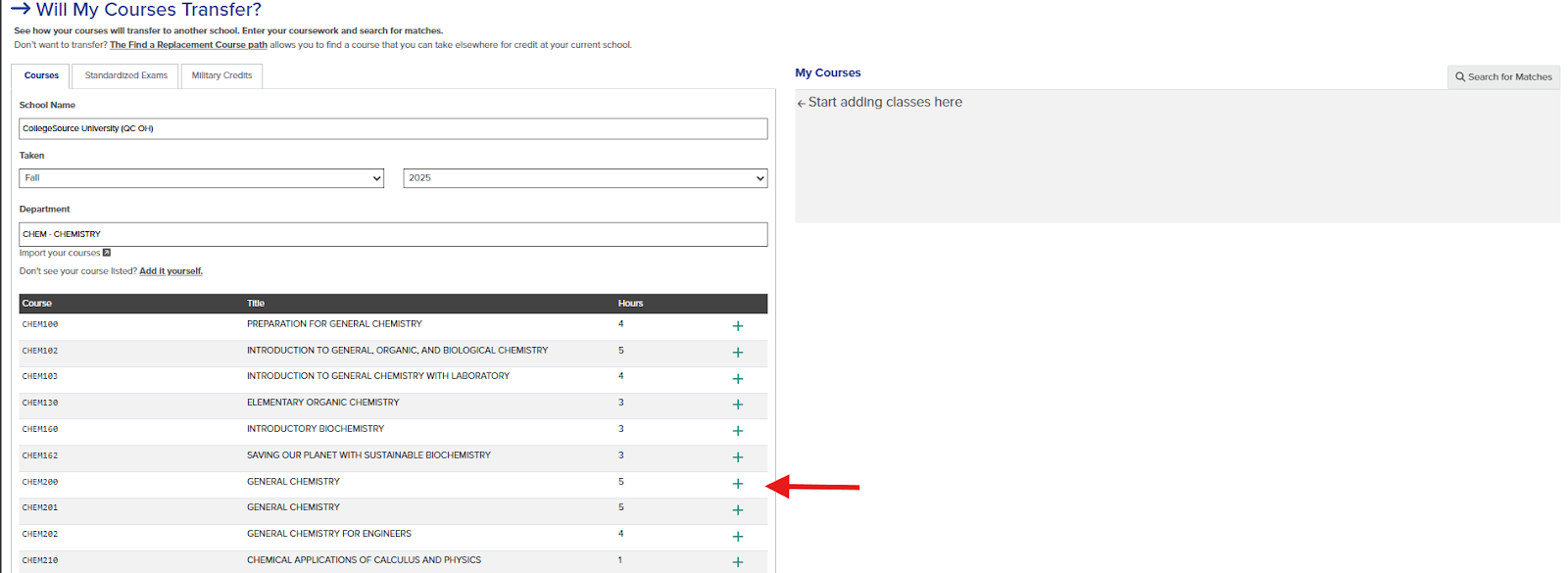
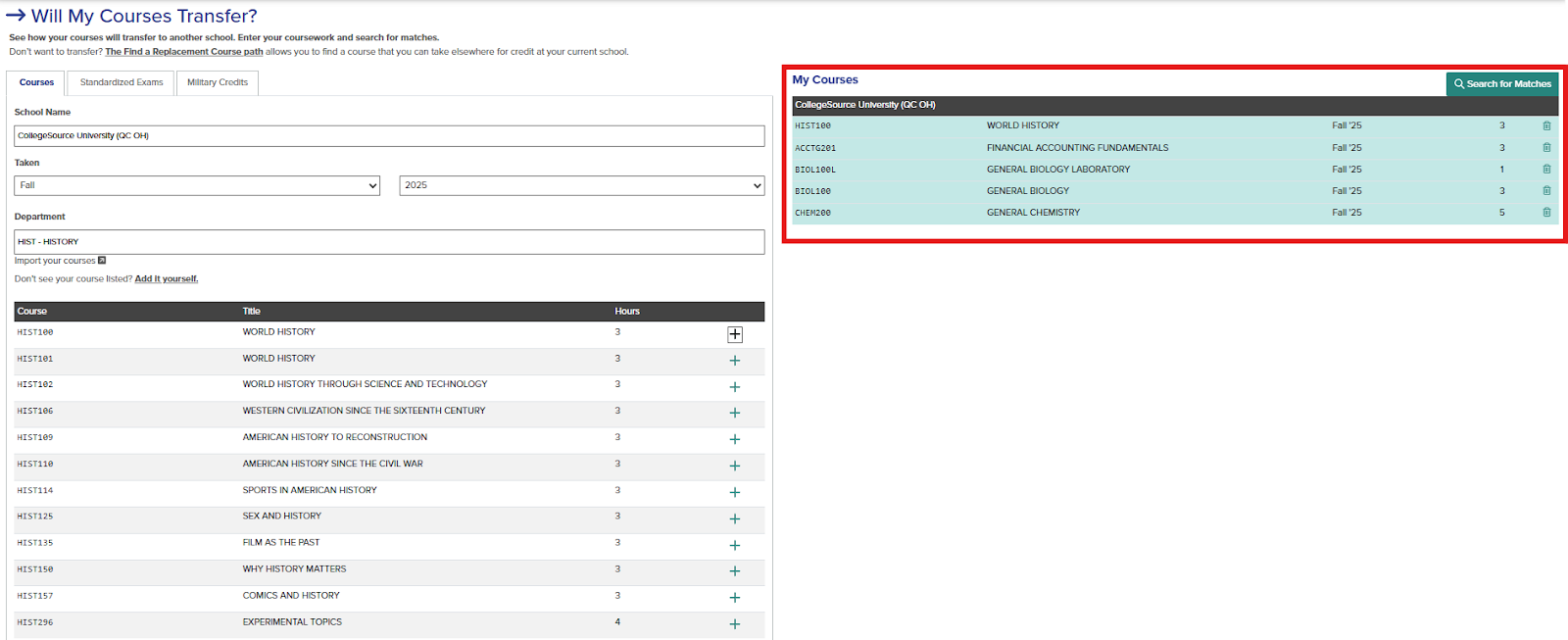
Once your courses have been added to the “My Courses” section, click the “Search for Matches” option.
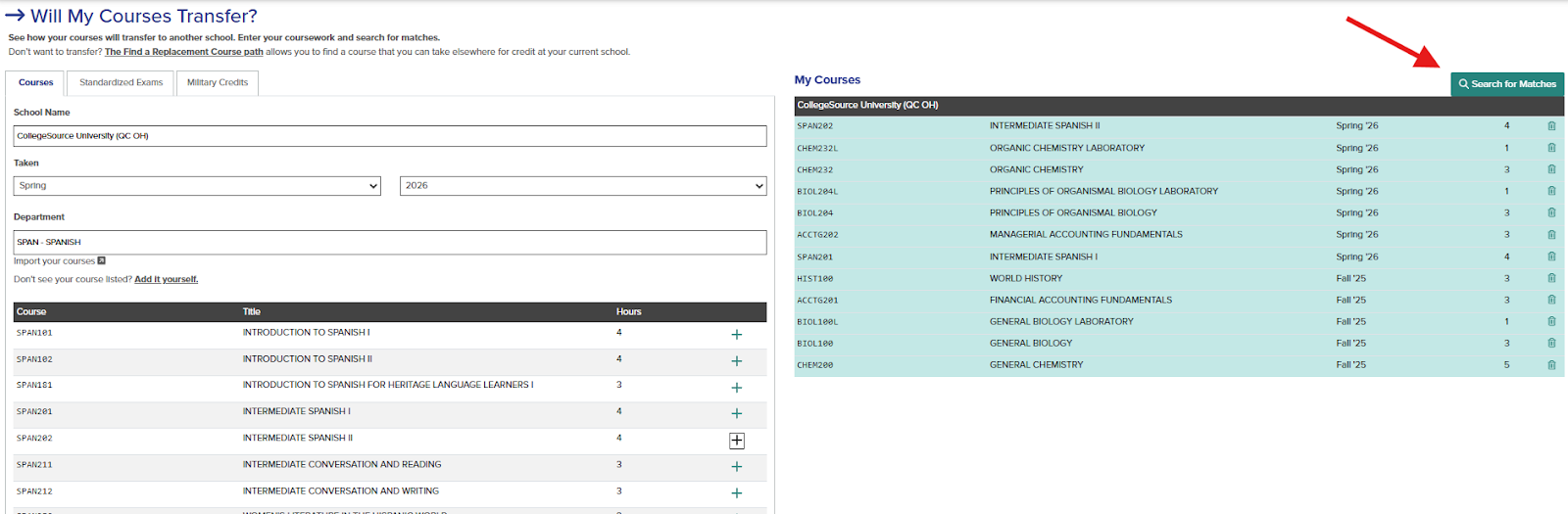
Once you “Search for Matches,” your screen will display helpful information about navigating the screen.

In the search engine, search Boston University to see how your selected courses from your non-BU institution will transfer into Boston University.

Once Boston University is selected, up to three tabs may populate.
“Match” means the course has previously been evaluated. The provided equivalency is how the external course will transfer into BU if a grade of C or higher is earned.
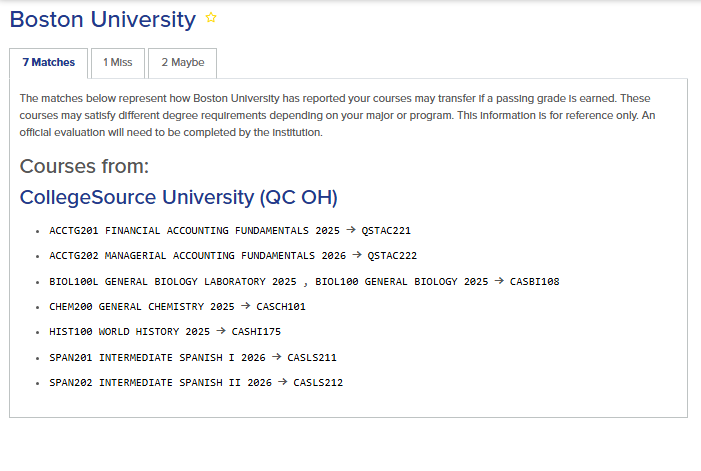
“Miss” means additional courses may be taken to receive more equivalencies. This is common with class sequences (such as the Biology I and Biology II example below).

Courses under the “Maybe” tab have not yet been reviewed by our team and will require a complete syllabus for evaluation.

Taking external courses after your matriculation at Boston University
Transferology is also a great resource for finding external courses to take after your matriculation at Boston University. Students will often look to take courses during the summer or winter break, and Transferology can help with selecting courses that work best for you.
First, select the term in question. Then select the Boston University equivalent and “Search for Matches.”

This will automatically pull up schools that have a direct equivalent.

To refine your search, input the school name into the search engine or provide your zip code.
Once you select the school, the course code and number for the external school can be located, as indicated by the red circle.