How to Register for Courses
MyBU Student offers multiple ways to register for classes. The method used is based on student preference. Registration instructions, both written and video guides, can be found in the dropdown boxes below. For more information on registration dates and times, please refer to the Registrar website.
Please note: KHC is listed as an Academic Organization in MyBU; it will not appear in School/College dropdowns.
KHC Priority Registration
Kilachand priority registration opens at 6:00 AM, which is 20 minutes ahead of the earliest published start time for your class year. Your registration date/time is listed in your MyBU Enrollment Menu > Enrollment Dates > Enrollment Appointment. If your Enrollment Appointment does not reflect 6:00 AM priority registration, contact your Kilachand advisor.
If you experience system challenges on registration day, please contact the Office of the Registrar directly. If you have any Kilachand-related questions on your day of registration or any time-sensitive matters to address, you can email honors@bu.edu. Starting at 9:00 AM, you can stop by the Kilachand Office to meet with a Kilachand Advisor.
Registration Instructions - Written Guides
Find more resources here.
Registration Instructions - Video
Find more resources here.
Finding KHC courses in Schedule Builder
- Make sure to click on Expand Filters. Then in the Term box, choose the correct semester (ex: Fall 2026).
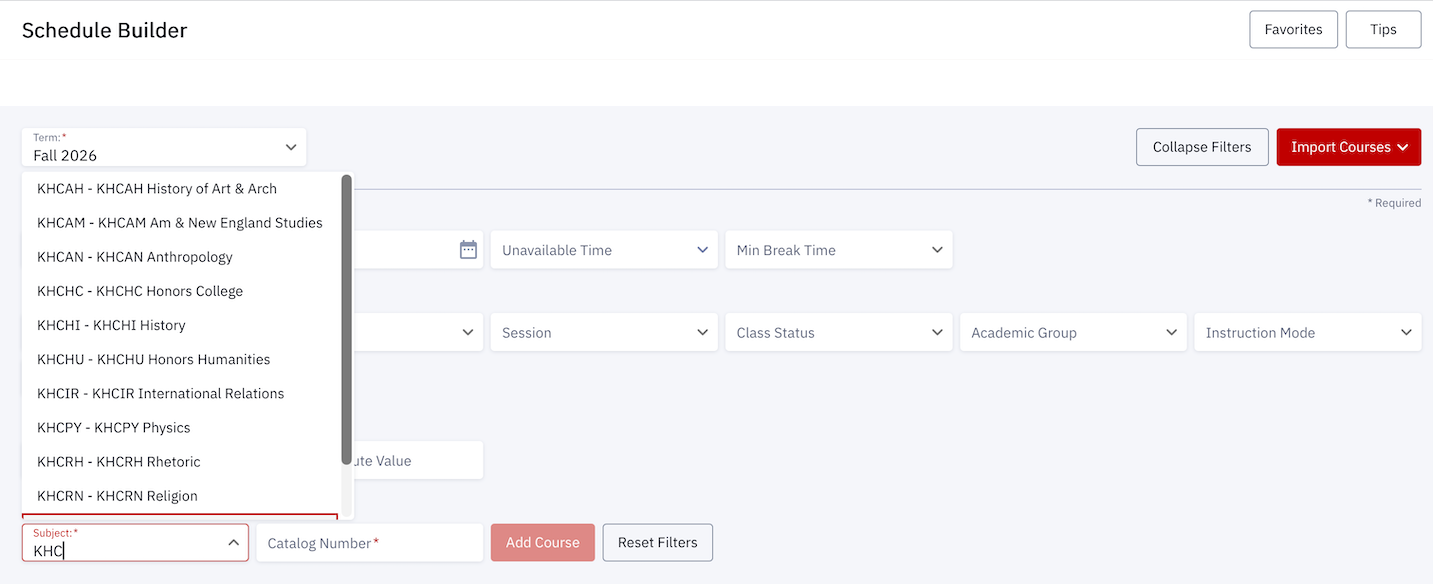
- In the Course Selection drop-down, type in “KHC” to see the list of KHC course subject areas. Click on either “KHCST” or the Kilachand seminar subject area you are interested in (ex: KHCHU; KHCIR)

- Next, click on the Catalog Number box to see the list of sections you can select from. Once you select your section, click on the red “Add Course” button.

Finding KHC courses in Class Search
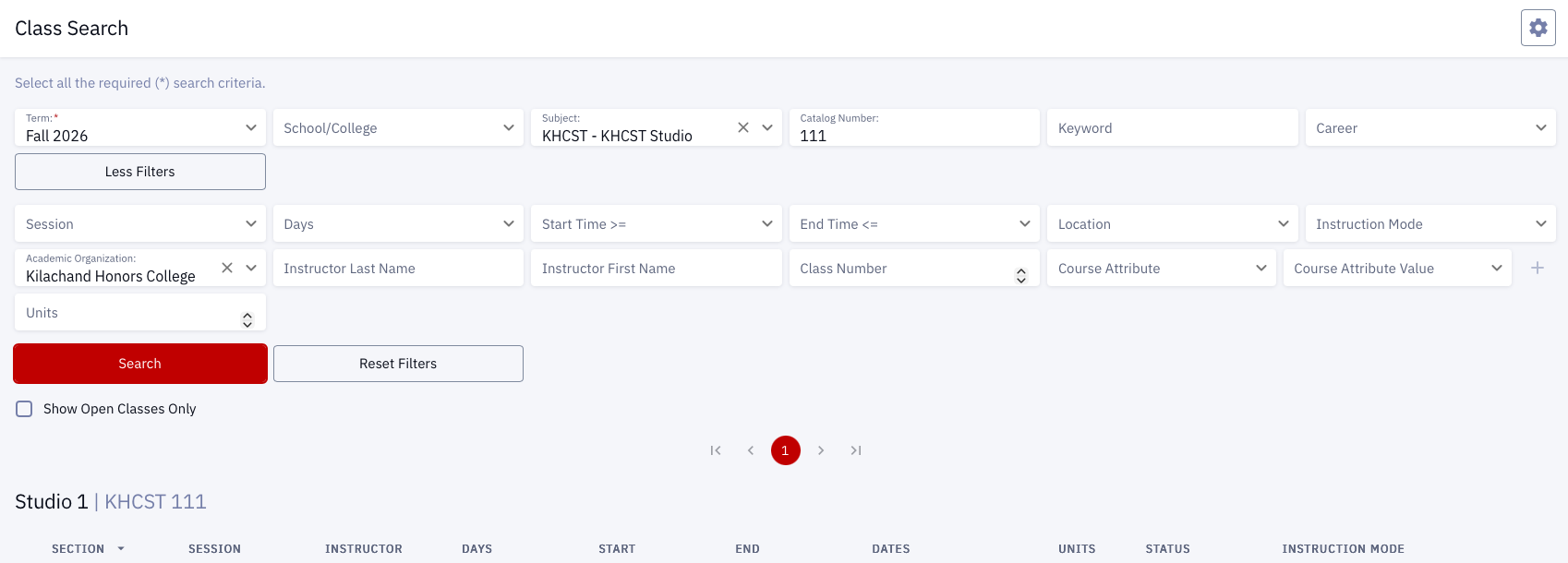
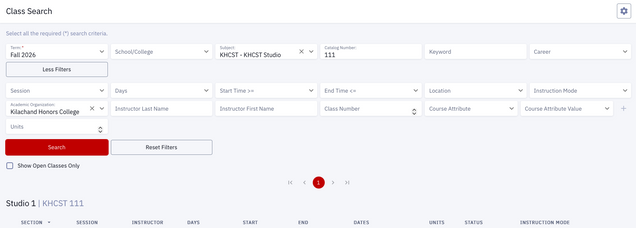
- Make sure to click on More Filters. Then in the Term box, choose the correct semester (ex: Fall 2026).
- In the Academic Organization drop-down, search for, or type in, “Kilachand Honors College”. Note: KHC will not appear in the School/College drop-down box.
- To search for our Studio sections, in the Subject Drop-Down Box, type KHCST – KHCST Studio. In the Catalog Number drop-down, add 111. Then click “Search”. Note: Studio sections in the spring semester have the catalog number 112.
-
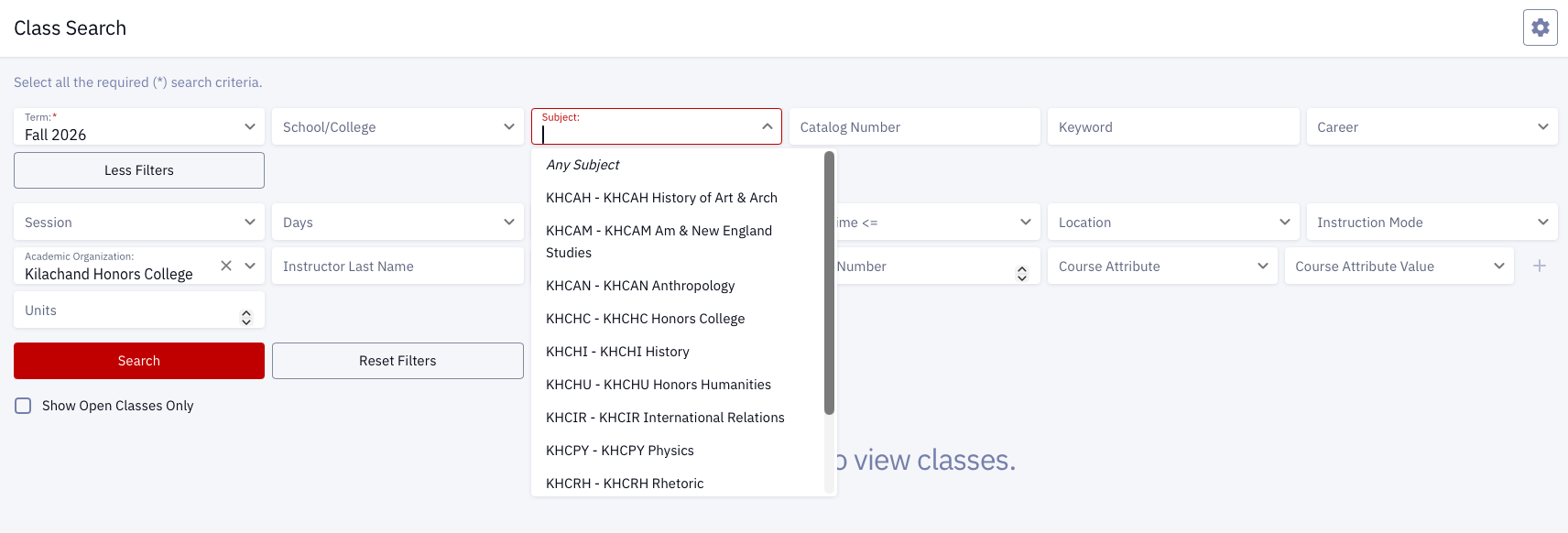
- KHC seminars are coded by their subject area (KHC AN, KHC HI, KHC PY), so it’s not possible to pull all seminars up at once (in an efficient way). It will be most useful to use our seminar webpage to review the seminars offered, then find your preferred seminar by subject area (ex: KHC AN, KHC HI, KHC PY). To search for our KHC seminars, click on the drop-down and choose the subject area you are looking for. Then click “Search.”

-
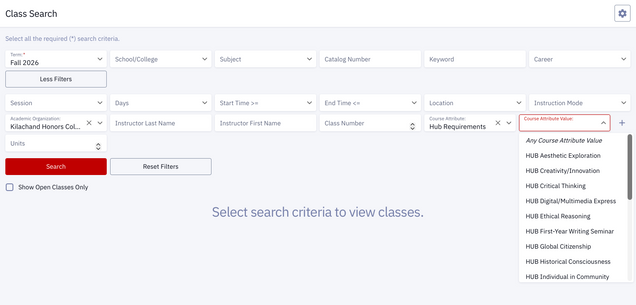
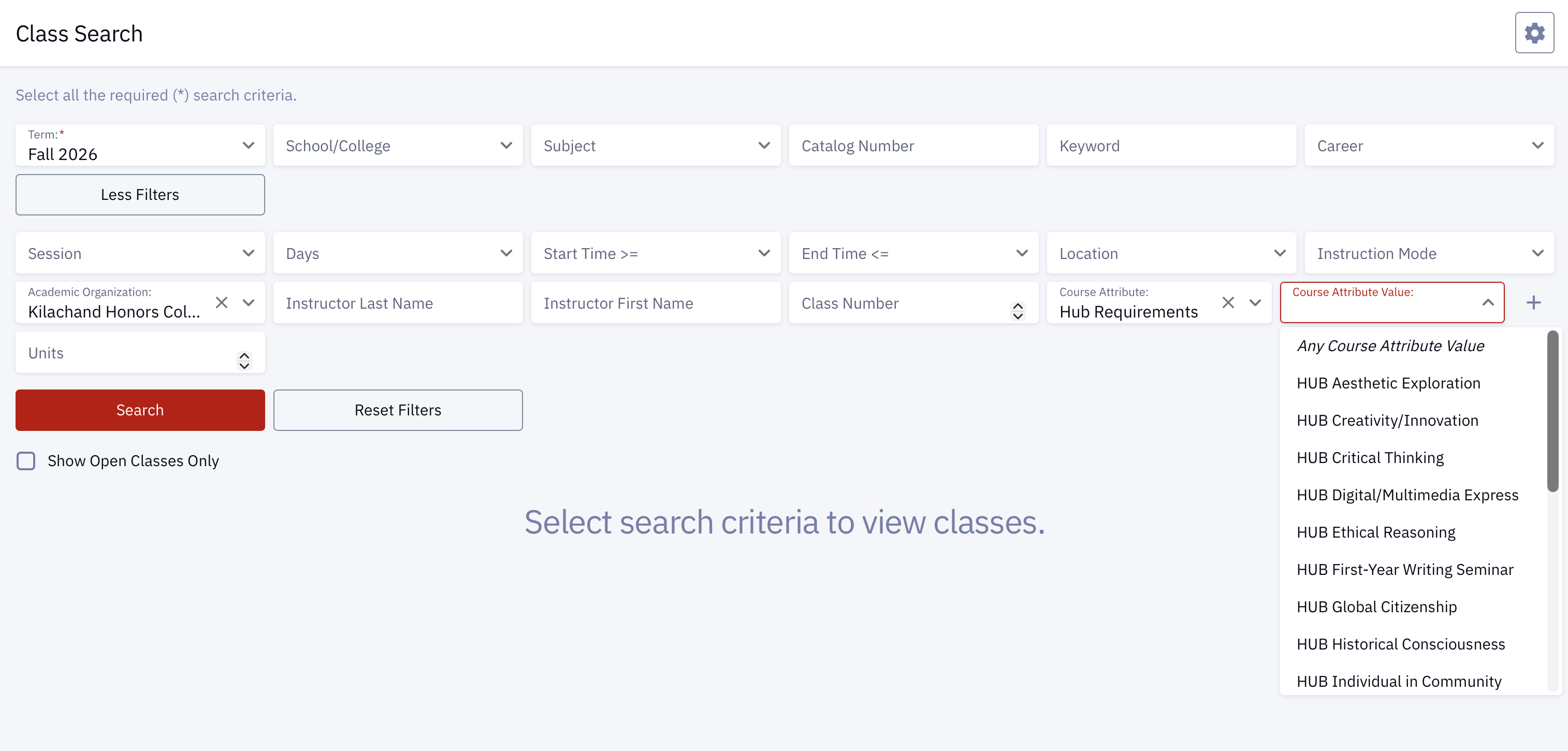
- Our Studios and Kilachand seminars provide you with different hub requirements. In the Course Attribute drop-down, type or select “Hub requirement”. Then, in the Course Attribute Value drop-down, select the hub requirement you are interested in.