Managing your dining balance has never been easier, and now it comes with extra rewards. Whether you are running low on dining points mid-semester or just want to stock up ahead of a busy study period, adding points to your dining account is a quick and straightforward process.
Plus, the more you add, the more you earn, with bonus points awarded based on how much you load. Steps are below on how to top up your balance through the student portal and some helpful tips to get even more out of your campus dining experience.
How do I add dining points to my account?
First, open up the GET App on your phone so that it takes you to your account screen:
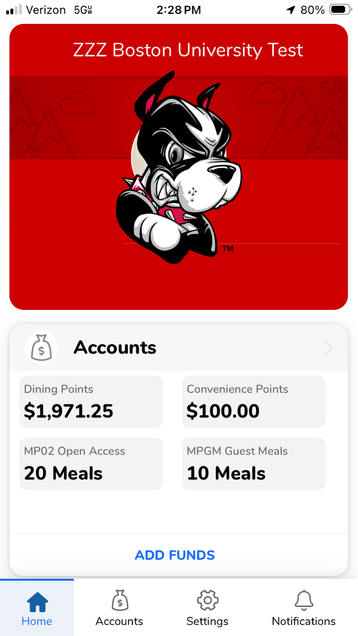
Go to the Add Funds page:
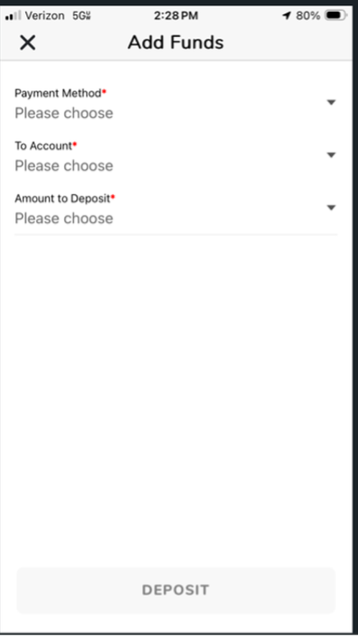
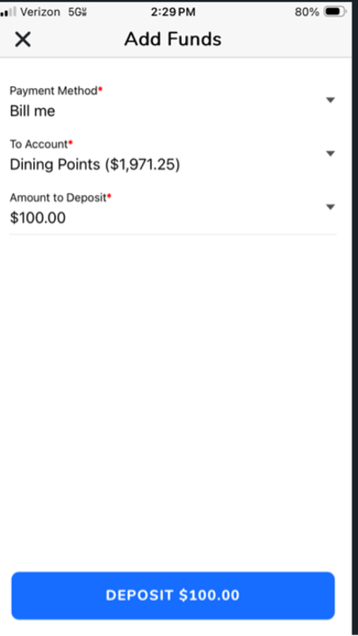
Select Dining Points and the amount you want to add:
Hit Confirm Deposit:
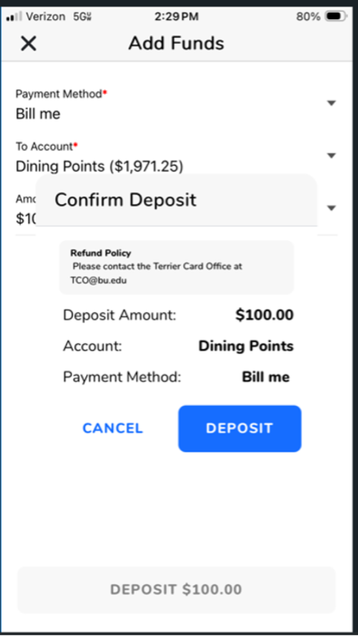
Success!
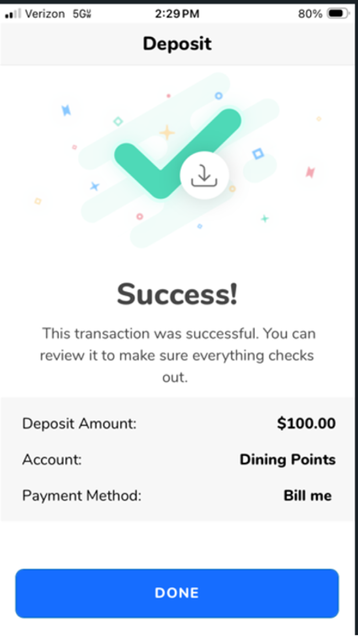
But wait! Before you go, refresh and go back into your account balance page, now your bonus points are showing up:
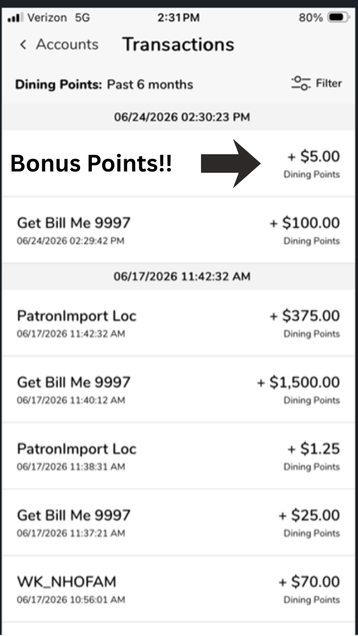
How many bonus dining points do I get?
|
Deposit
|
Dining Point Bonus %
|
Dining Point Bonus $
|
Total Dining Points
|
|
$25.00
|
5%
|
$1.25
|
$26.25
|
|
$50.00
|
5%
|
$2.50
|
$52.50
|
|
$75.00
|
5%
|
$3.75
|
$78.75
|
|
$100.00
|
5%
|
$5.00
|
$105.00
|
|
$200.00
|
10%
|
$20.00
|
$220.00
|
|
$400.00
|
15%
|
$60.00
|
$460.00
|
|
$600.00
|
20%
|
$120.00
|
$720.00
|
|
$1,000.00
|
25%
|
$250.00
|
$1,250.00
|
Can I add dining points to my student's account?
Yes! Parents and guardians can also deposit dining points and rest easy knowing their student is well fed. This step-by-step tutorial will show you how: ADD DINING POINTS.
