
A new, modern authentication experience is coming to Microsoft 365 and services that use Microsoft for authentication. Following successful internal testing, IS&T will begin communicating and rolling out the changes in phases to the BU community over the coming months.
What’s Changing?
The updated Microsoft authentication experience will feature more consistent BU branding, styling, and language, similar to what you know from accessing many of our services. A before and after comparison is shown below.
Current Microsoft login experience
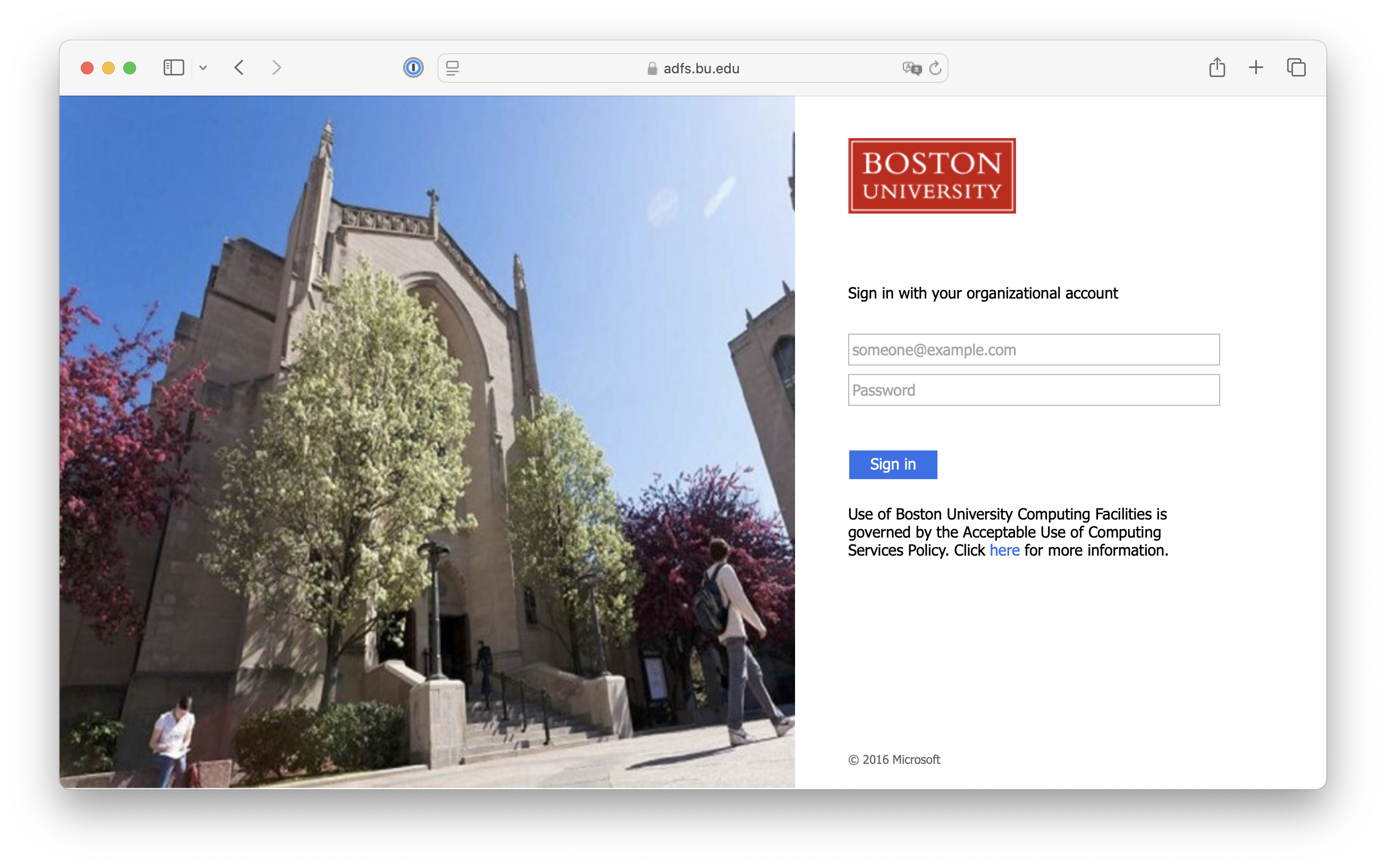
Updated Microsoft login experience

You’ll also notice some smaller changes, like:
- Staying on login.microsoftonline.com instead of being taken to ADFS after entering your BU email
- An extra click to proceed to Duo after entering your BU password
What isn’t changing?
While the overall look and experience of a Microsoft login will change, you will still use your BU email, password, and Duo for access.
This change only impacts services that leverage Microsoft authentication. Those that authenticate via Shibboleth (like MyBU, Blackboard, BUWorks, and Zoom) or ADFS directly (like Dropbox or Exabeam) are not changing at this time.
What will you need to do?
On the morning after you’re enrolled in the new experience, plan to take a bit of extra time to reauthenticate to Microsoft services, especially if you have any important meetings or presentations. This might include places like:
- Outlook, Teams, and other Office apps on your computers, iPhones, iPads, Android devices, and browsers
- OneDrive and SharePoint
- Power Platform, including:
- Power BI data source credentials (SharePoint folders and files, Azure, etc.)
- Power Automate or Power Apps connections (SharePoint, Outlook, etc.)
During the transition, you may need to authenticate multiple times in multiple places. In some cases, you may not be prompted to reauthenticate immediately. This is especially likely with the Outlook and Teams mobile apps.
These prompts are only temporary and you will not encounter multiple requests from the same app moving forward.
Password Managers
If you use a password manager, stored passwords for adfs.bu.edu will need to be updated to include login.microsoftonline.com. Once updated, your password manager should fill logins as before.
I have questions or encountered a problem
You can always contact IS&T for assistance before or after the transition.