- Download and install the MyE911 application.
Download MyE911 for Windows - If MyE911 does not open automatically, open your Start menu to find and open the application.
- You may need to open it through the System Tray by right-clicking on the app icon.

- You may need to open it through the System Tray by right-clicking on the app icon.
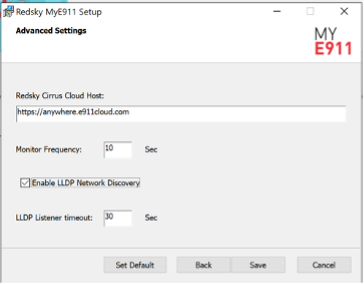
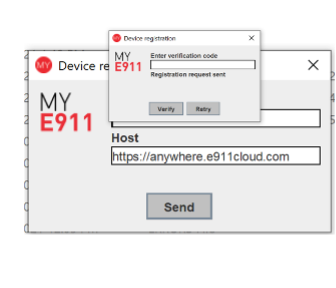
- When prompted for Advanced Settings, please enter
-
- Hostname: https://anywhere.e911cloud.com
- Enable LLDP Network Discovery: checked
-
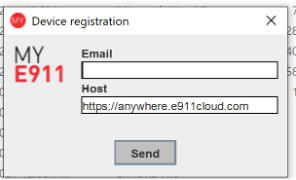
- Enter the BU email address associated with your Jabber client and click Send. You will be sent a one time validation code to activate MyE911.
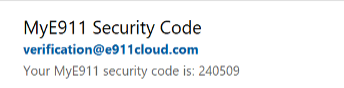
- Enter the verification code from your BU email and click Verify.
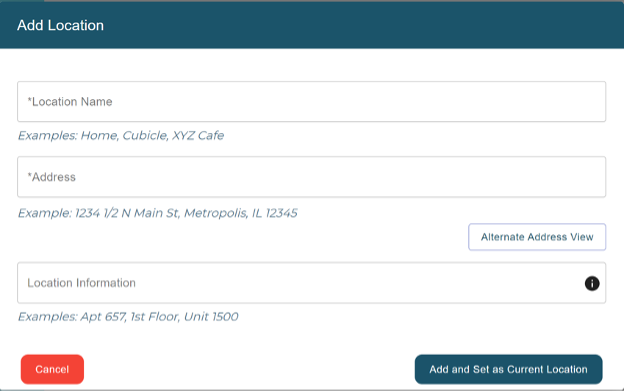
- You will be prompted to enter your location information. Enter using format indicated, click on “Add and Set as Current Location”