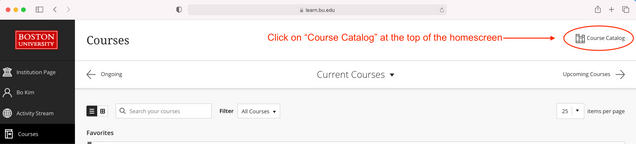
1. Go to the Blackboard Course Catalog
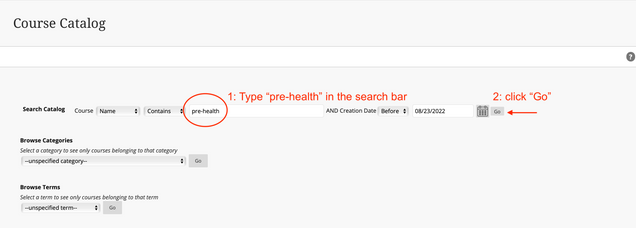
2. Search for “pre-health” in the Course Catalog
3. Select “Enroll” in the drop-down menu.

*Make sure you are enrolling into the correct Pre-Health 101 site with the Course ID: “26year_cas_prehealth_101″
4. Enroll in Pre-Health 101.

5. Find Pre-Health 101 and favorite the course for easier access.
