With many web applications it is sometimes necessary to make various adjustments to your browser's settings. Please select your browser below and follow the instructions provided for the particular browser feature you would like to adjust.
Firefox
Find the version you're using
Mac
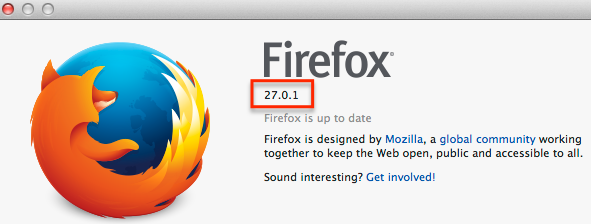
- Select Firefox from the menu bar and click About Firefox from the drop down list.
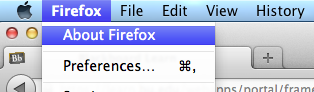
- Your version number will be listed next to the Firefox logo
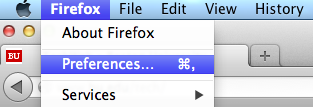
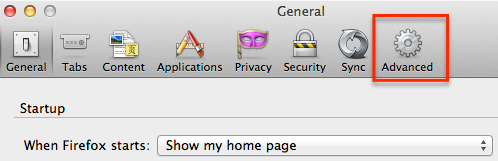
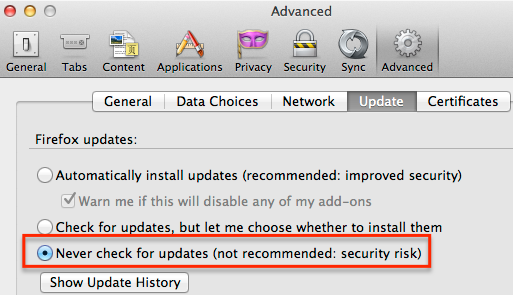
Prevent Firefox from doing automatic updates
Downgrade your version of Firefox
If it's too late and Firefox has updated, it can be helpful to downgrade to the previous recommended version of Firefox. (If you do opt to downgrade, please open this instruction page in another browser so you will have the required steps available after Firefox is uninstalled).
Mac
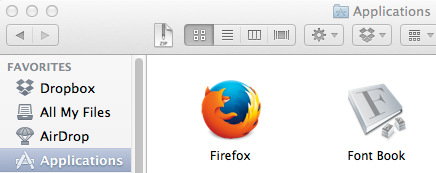
- Open the Finder and navigate to the Applications folder. In the Applications folder, find Firefox and drag the application file to the Trash.
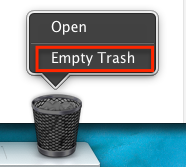
- Once Firefox is in the Trash, right click on the icon and select Empty Trash.
- In your alternate browser (such as Safari or Google Chrome), download the version of Firefox you want from the list below. Save to the Desktop, if possible, so the file will be easier to find.
- Once the download has completed, navigate to the download location (probably either the Desktop or the “Downloads” folder under your user’s directory) to find the file called Firefox.dmg installer file.
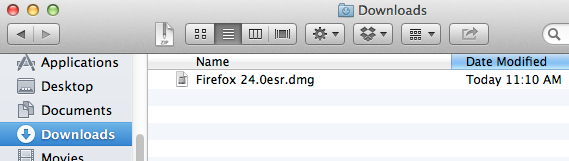
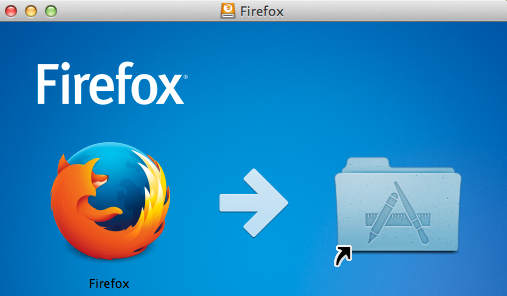
- Double click and open the file Firefox .dmg installer file, which will then mount a virtual disk of the image.
- Once the virtual disk is open, drag and drop the Firefox icon into the Applications folder, which will then copy the file into your local Applications folder. Once completed, you can safely eject the mounted virtual drive and drag the .dmg file to the Trash.
NOTE: Beginning with version 12, Firefox has an automatic update feature which you will need to disable by following the steps in the ‘Prevent Firefox from doing automatic updates” section above..