You can access network storage drives from any computer. Note that if you are off campus, you will need to connect to the VPN first.
macOS
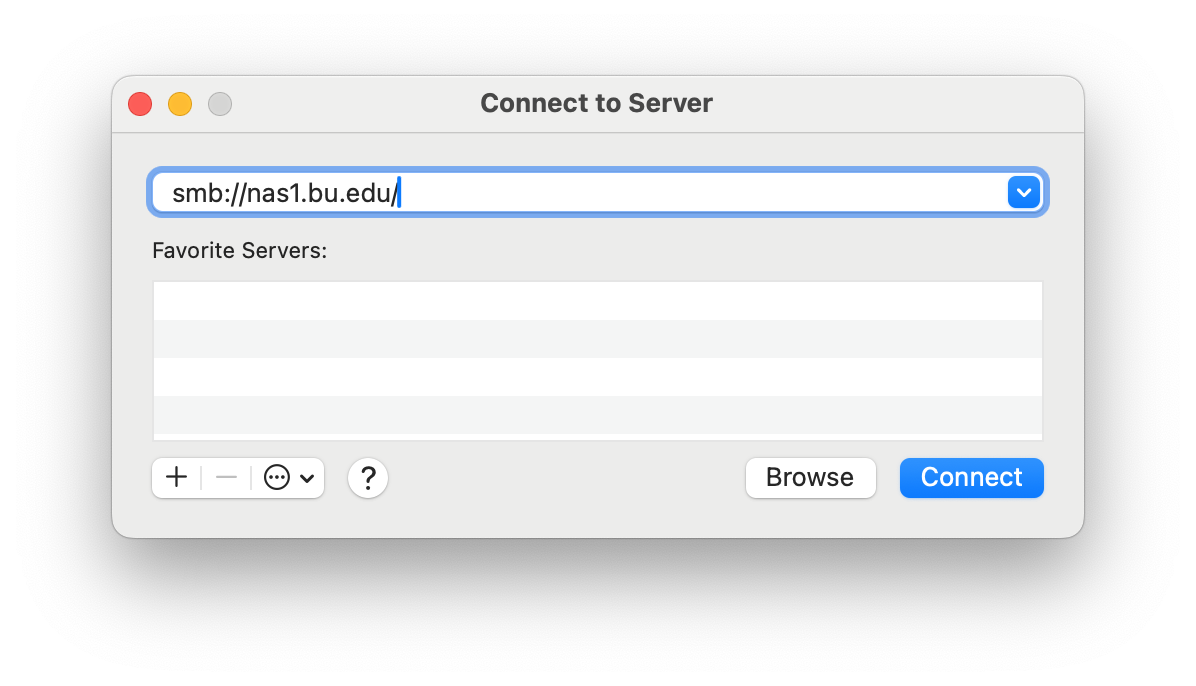
Go to the Go menu and choose Connect to Server.
Enter the server name in the box in the format of smb://networkpath, where “networkpath” is replaced with the share you are accessing. NOTE between the server and share are forward slashes “/” NOT back slashes “\”, if you were given \\nas1.bu.edu\group\share it will be “smb://nas1.bu.edu/group/share”
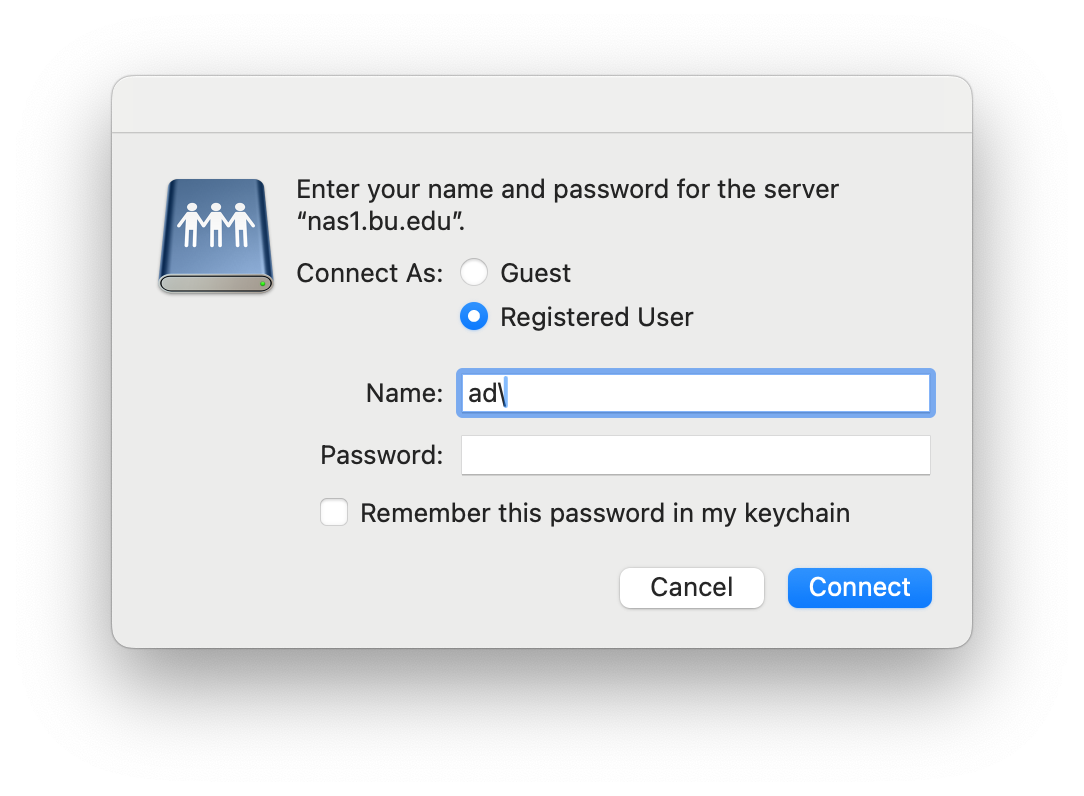
Select “Registered User” and enter “ad\” followed by your BU username and password then click “Connect”
Windows
Open “File Explorer”
Right click on “This PC” on the right side of the window and select “Map network drive”
Select a drive letter and enter the folder path (If you do not log into the computer with your BU username and password check the “Connect using different credentials” box). Then click Finish
If you selected the “Connect using different credentials” you will get this dialog enter “AD\” then your BU username then BU password. On some computers you need to select “More choices” then “Use a different account”