
On This Page:
1. Navigation
Teaching Activities Page
The My CV Teaching Activities Module is used to collect and aggregate your teaching related activities. Navigate to your teaching activities summary page by clicking Teaching activities on the home page:
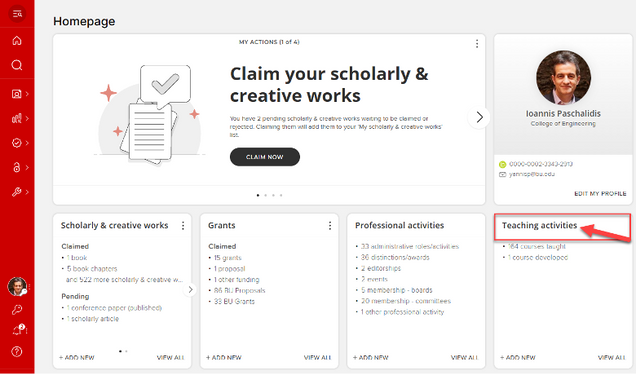
The Teaching Activities page allows you to view or add to your teaching information in My CV. Your teaching activities list has been pre-populated – as accurately as possible – with courses you’ve taught from the University Registrar system. The import of your courses only includes courses that appear on your schedule on MyBU.
If any pre-populated information is incorrect, please contact your My CV Liaison, as these issues need to be addressed in the source system.
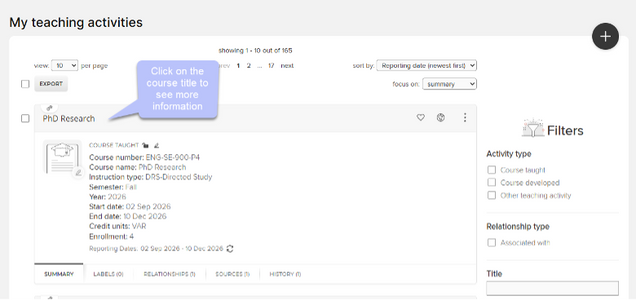
Detailed record view
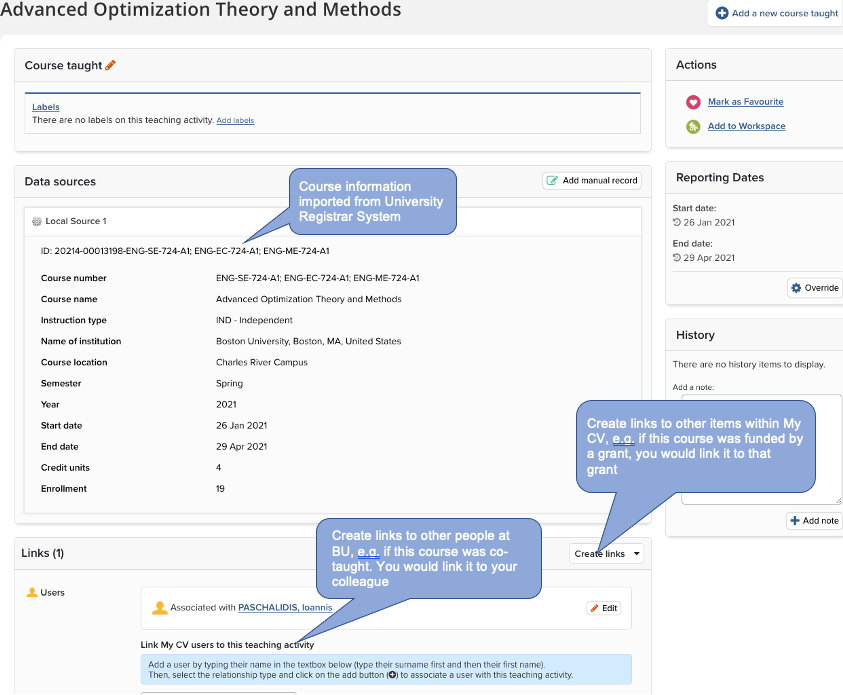
To get to the detailed teaching activity record view for an individual item, click the item’s title. The detailed view shows you all of the data available for your record. From here you can:
- Add/edit BU co-contributors; for example if a colleague co-taught the course but is not listed you can add them
- Link the teaching activity to publications, grants, other courses, or professional activities in My CV
- View the history of your record
2. Add a Teaching Activity Manually
Many of the courses you’ve taught at Boston University have been pre-populated into My CV for you. The import of your courses is limited to the past three years and only includes courses for which you are the official instructor of record.
Therefore, not all of your teaching activities are going to be automatically imported into My CV. You should manually add the following types of activities:
- BU courses you taught longer than three years ago, that you wish to appear in My CV
- BU course for which you are not the official instructor of record
- Courses you taught outside of BU, that you wish to appear in My CV
- Courses you’ve developed, either at BU or outside of BU
- Other teaching activities that you wish to appear in My CV, but that do not fit into the categories of Course Taught or Course Developed
To manually add a teaching activity:
 1. From your Home screen, click the + ADD NEW button within the teaching activities summary box.
Alternatively, navigate to your Teaching Activities page by clicking Menu > Profile and Work > Teaching activities, and clicking ADD NEW ACTIVITY button ( ) in the top, right-hand corner of the screen.

2. From the pop up screen, select which type of teaching activity you would like to add.
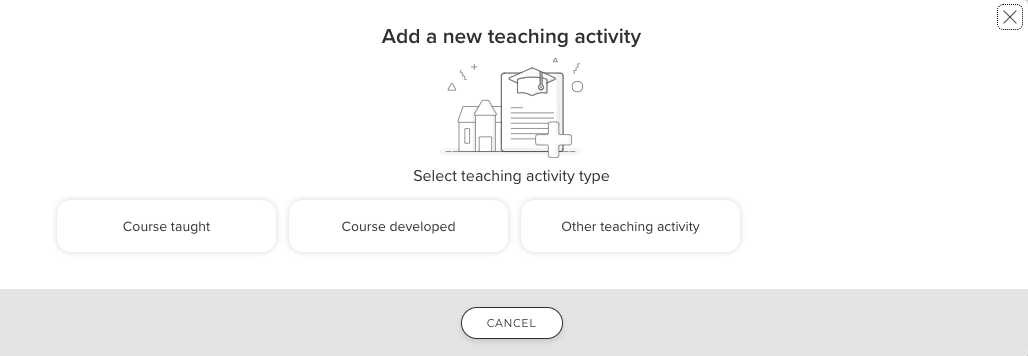
3. You will be taken to the data entry form. Complete the form and click save.
3. Edit Existing Teaching Records
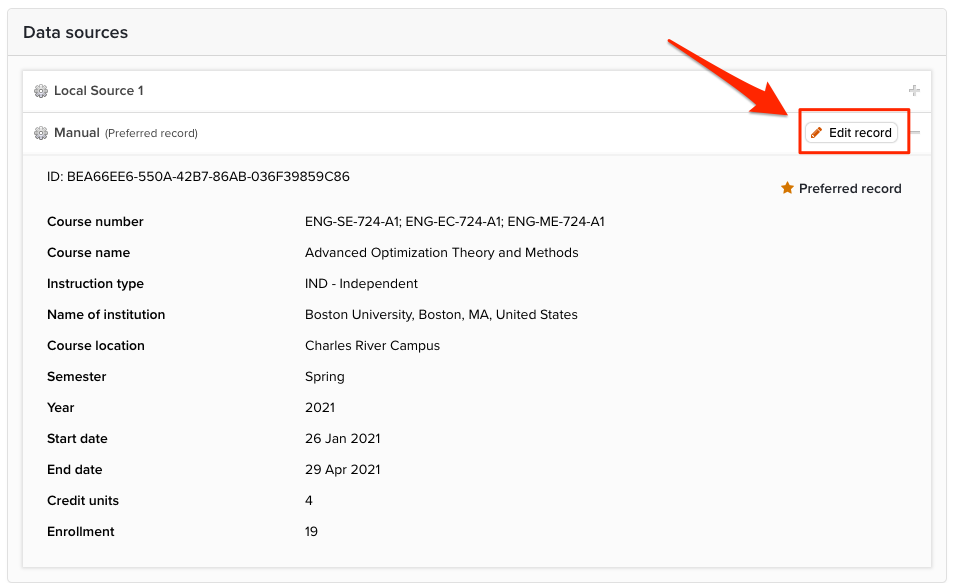
Editing manually added records
1. Open the detailed view of the teaching activity record you wish to change, by clicking on the bolded title.
2. Click the dark blue Edit Record button.
3. Save changes once you are finished.
Missing or inaccurate courses?
The courses you have taught at Boston University in the past three years are imported into My CV from the University Registrar system.
If there is a course missing from your My CV Profile, or if the information associated with any of your courses is appearing incorrectly, please contact your My CV Liaison, as these issues need to be addressed in the Registrar system. Once the issue is fixed in Registrar system, your course information will appear correctly in your My CV Profile the next day; more specific timing will be relayed to you by your Liaison.